Introduction
Cloud-powered eCommerce is no longer just a technology choice; it is a business strategy for growth, resilience, and customer trust. For CEOs and owners, the real question is not whether your online store looks modern, but whether the entire digital business can scale, adapt, and perform under pressure.
Today’s eCommerce success extends far beyond the storefront. A sleek website or mobile app may attract customers, but long-term performance depends on the reliability of the systems behind it: inventory, order management, pricing, payments, logistics, analytics, and customer data. Without a strong digital foundation, growth often creates friction instead of value.
That is why technology has become an enabler of customer experience, operational efficiency, and scalability. The businesses that win are the ones that treat technology as the backbone of their operating model, not just an IT expense. In that context, a well-designed Cloud-based eCommerce strategy can help leaders grow faster while staying resilient.
The Tech Foundation Behind a Successful eCommerce Business
1. Customer-facing platforms that shape the buying experience
The most visible part of any eCommerce business is the customer-facing platform. This includes the website, mobile application, search experience, product discovery, checkout flow, and post-purchase communication. These touchpoints shape how customers perceive the brand, how quickly they convert, and whether they return.
For CEOs, the strategic value lies in more than design. A strong digital experience must also support personalization, responsiveness, and consistency across channels. Customers expect products to load quickly, recommendations to feel relevant, and checkout to be seamless regardless of device or traffic conditions.
2. Internal business applications that keep operations moving
Behind every smooth online transaction is a set of internal applications that keep the business functioning. Inventory and order management systems ensure that what appears available online is actually in stock and deliverable. Customer, product, and pricing management tools keep business rules aligned across sales channels.
In addition, enterprise systems such as ERP, CRM, payment gateways, logistics platforms, and fulfillment tools must work together. When these systems are fragmented, teams spend time reconciling data instead of serving customers. When they are connected, the business gains a single operational view that supports better decisions and fewer errors.
3. Integration and Scalability
Integration is what turns separate tools into a cohesive operating system. Customer-facing and internal systems must communicate in real-time or near real-time to avoid delays, overselling, pricing mismatches, and fulfillment issues. The more channels and markets a company serves, the more important this connected foundation becomes.
Scalability matters because growth should not degrade performance. A business that adds traffic, SKUs, new geographies, or seasonal demand should not need to rebuild its technology stack every time it expands. The right architecture allows the company to grow without compromising speed, stability, or customer satisfaction.
How Cloud Technology Enables Modern eCommerce
- Scalability on Demand: One of the most compelling advantages of Cloud-powered eCommerce is the ability to scale resources up or down as demand changes. This is especially valuable during holiday peaks, promotional campaigns, product launches, or unexpected viral traffic. Instead of overbuilding infrastructure for every possible scenario, cloud environments let businesses respond to actual demand. For owners, this means better capital efficiency. You can invest in growth without carrying the full cost of idle infrastructure. It also means the business is more prepared for volatility, which is now a normal part of digital commerce rather than an exception.
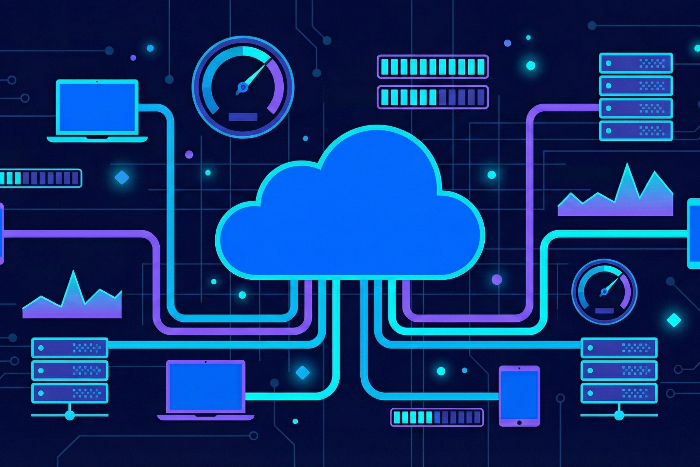
- Performance & Availability: In eCommerce, seconds matter. Slow page loads, downtime, and failed transactions directly affect revenue and trust. Cloud environments are designed to support high availability, distributed performance, and fault tolerance, helping reduce the risk of service interruptions. Reliable performance is not only a technical advantage; it is a customer experience advantage. When shoppers can browse, compare, and purchase without friction, conversion improves. When the system remains available during peak moments, the brand earns confidence and repeat business.
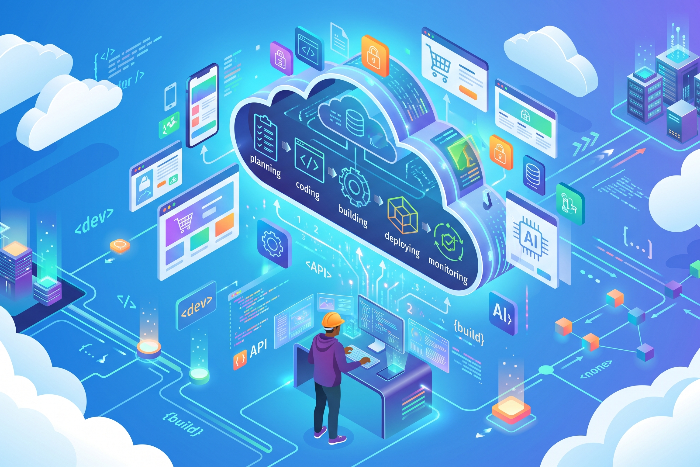
- Faster App Development and Deployment: Modern commerce requires constant improvement. Promotions change, customer expectations evolve, and competitors move quickly. Cloud-native development, automation, and continuous delivery pipelines make it possible to release updates faster and more safely. This speed matters at the executive level because it shortens the time between business insight and market action. Whether the company needs to test a new checkout flow, roll out a regional feature, or integrate a new payment provider, cloud-based delivery models reduce delays and improve agility.
- Data, Analytics & AI readiness: eCommerce creates valuable data at every step of the customer journey. Browsing behavior, purchase history, inventory movement, returns, support tickets, and pricing patterns all contain insight. Cloud platforms make it easier to bring these data sources together in ways that support analytics, personalization, and AI-driven capabilities. For CEOs, this is where cloud becomes a growth multiplier. Data can reveal which products drive repeat purchases, where customers abandon carts, and which channels produce the best margins. AI can then help improve product recommendations, demand forecasting, service automation, and dynamic decision-making.
- Security, Resilience and Business Continuity: Trust is essential in digital commerce. Customers expect secure payments, protected personal data, and uninterrupted service. Cloud environments support modern security controls, encryption, access governance, automated monitoring, backup, and disaster recovery practices that strengthen resilience. Business continuity is especially important when eCommerce becomes a primary revenue engine. A single outage or data incident can impact sales, reputation, and customer loyalty. A resilient cloud strategy reduces exposure and ensures the business can recover quickly when disruptions occur.
……………………………………………………………………………………………………..
To understand how serverless computing can be leveraged for eCommerce, refer to Serverless eCommerce for Agile and Scalable Platforms — an article on the shift of responsibility of server management and the ensuing advantages.
……………………………………………………………………………………………………..
Building a Cloud-enabled eCommerce Technology Ecosystem
1. Cloud Infrastructure and Application Architecture
A strong Cloud eCommerce Solution starts with the right architecture. This means designing systems for reliability, elasticity, and maintainability from the beginning, rather than simply moving old applications into the cloud unchanged. The goal is to create a platform that can support both current operations and future expansion. Leaders should think in terms of business capabilities, not just servers and software. The architecture should allow teams to launch faster, integrate more easily, and adapt to changing customer demands without creating unnecessary complexity.
2. APIs and System Integration
APIs are the connective tissue of modern eCommerce. They allow customer-facing platforms, ERP systems, payment providers, logistics services, and analytics tools to exchange data efficiently. A well-integrated environment reduces manual work, improves accuracy, and creates a more unified customer and operational experience. When systems communicate through clear integration layers, the business can add new tools without disrupting core operations. This flexibility is crucial for companies that plan to expand into new markets, channels, or fulfillment models.
3. Microservices and Containerization
Microservices and containerization help businesses break large applications into smaller, more manageable components. This approach supports independent updates, better fault isolation, and improved scalability. For growing eCommerce businesses, that means new features can be launched without affecting the entire platform. Executives benefit because these modern patterns reduce risk and increase speed. Teams can innovate continuously while maintaining operational stability, which is essential in a competitive market where customer expectations change quickly.
4. Data Platforms and Analytics
Data platforms bring together information from sales, operations, marketing, customer service, and finance. This creates a more complete picture of business performance and customer behavior. With the right analytics layer in place, leaders can move from reactive reporting to proactive decision-making. A cloud-enabled data strategy also supports personalization and forecasting. It can help identify high-value customers, predict demand trends, improve inventory planning, and optimize pricing strategies. That combination of insight and action is one of the most powerful benefits of cloud adoption.
5. DevOps and Continuous Delivery
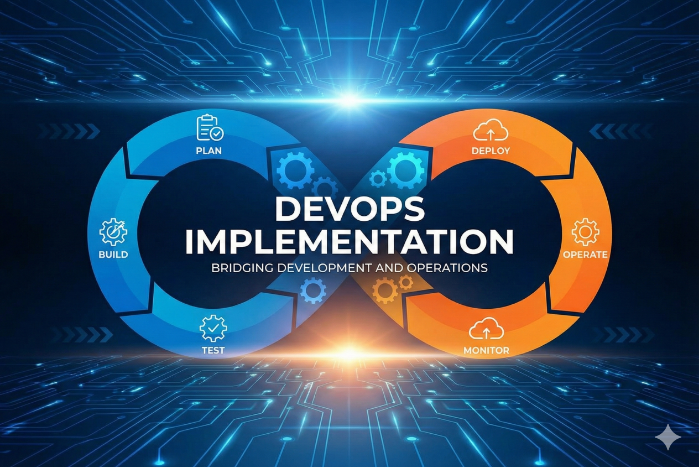
DevOps practices connect development and operations so teams can deliver value faster and with fewer errors. Continuous delivery extends that capability by automating testing, deployment, and monitoring. Together, these practices help eCommerce businesses respond quickly to market needs while maintaining quality. For business owners, this means less time waiting on technical releases and more time executing on strategy. It also means technology can keep pace with business ambition, rather than slowing it down.
Conclusion
Cloud-powered commerce is about much more than hosting a store online. It is about building a digital business that can scale confidently, stay resilient under pressure, and deliver better customer experiences at every stage of growth. The companies that succeed will be those that connect customer-facing platforms with the operational systems behind them. For CEOs and owners, the opportunity is clear. A modern Cloud-based eCommerce model can improve agility, reduce operational friction, strengthen data-driven decision-making, and support long-term continuity. In a market where customer expectations move quickly and competition is relentless, cloud is not just an infrastructure decision. It is a foundation for durable growth.
If you are seeking out a technical partner that offers expertise in cloud computing alongside deep understanding of eCommerce, Mindfire is the right choice. From architecture design to post-deployment support, we ensure speed, scalability, and security at every step. Explore our Cloud Application Development Services to see how we can turn your vision into a robust, future-ready solution. Contact us today to discuss your need.